9/5/11

How to Extend Laptop Battery Life (Lithium-ion)

In the previous article about “Consider Replacing your battery in NoteBooks“, I’ve shared about my experiences in dealing with the problem. Because of that incident, I was so diligent in seeking information about the battery in the hope of finding tips so that my battery is already showing signs of “aging” that can be durable and long lasting. Well, in this article I want to share about notebook battery tips to be durable and long lasting.
How to Extend Laptop Battery Life (Lithium ion) Images
First, please note that the battery can be in-charge (rechargeable battery) that there are several types. Frequently used for general electronic goods are usually Nickel based (NiCd) and Lithium-based (Lithium-ion). For laptops, at this time almost certainly all use a Lithium-ion type. Besides being able to save more power, Lithium-ion batteries are also more environmentally friendly than NiCd batteries are highly toxic.
Knowing the different types of batteries is very important because the two are very different characteristics. In the NiCd battery, electrolytes that are inside will gather at the bottom (in base) due to the influence of gravity, when stored too long (in storage). That’s why when purchasing a new NiCd battery, it is advisable to charge at least 8 hours (optimum 16-24 hours) before first use. But, when buying electronic equipment that use batteries store party (seller) suggested to charge the battery at least 8 hours before first use, although not a NiCd battery type.
Mistaken assumption that the battery should be used until really (want to) run out before it can be charged again. Again this applies to NiCd, where the batteries of this type there is the phenomenon of “memory effect”, as the battery is able to “remember” the amount of power that are filled during the last charging process. So for example, if the capacity of NiCd batteries still 65% and in-charge to full (which means the battery charge as much as 35%), the battery will be considered as though its capacity to 35%. But, it does not apply to Lithium-ion battery type.
Now, battery type Lithium-ion batteries widely used for other electronic devices such as mobile phones or digital cameras. So the tips below can apply your gadgets that use Lithium-ion battery type. The following tips:
  • For the first time, you must use of battery charge normally. As already described above, to charge the battery at least 8 hours for the first time only applies to types of Nickel-based batteries. For Lithium-ion battery, the lack of difference between charging the 1st, 5th, or the 500. In fact, if in-charge for too long can result in Overcharging makes the battery life getting shorter.
    How to Extend Laptop Battery Life (Lithium ion) Images
  • Charge the battery regularly in short intervals without having to wait until the battery is (almost) gone. Battery type Lithium-ion batteries are not familiar with the phenomenon of “memory effect” like NiCd batteries. In fact, research indicates that the batteries are used in-charge when its capacity is still 70% – 75% age 5-6 times longer than batteries that are often in charge when the capacity is almost exhausted.
  • Keep the temperature is not too hot. High temperature is the number one enemy of batteries because of the heat will accelerate the degradation of cells in the battery. For as much as possible put the laptop in a cool place and avoid direct sunlight. The habit of putting a laptop in the car on a hot day should also be avoided if you do not want the battery life is reduced drastically.
  • Set the air circulation to keep it smooth. Avoid putting a laptop in bed or pillows as this will interfere with air circulation that resulted in the laptop becomes hot quickly. The most practical way is to use cool pad. Coolpad are simple tools that cheap but very useful especially to keep the temperature so that the laptop does not overheat. Additionally, after using a laptop, you should set aside some time so that the laptop be cooler before it is inserted into a laptop bag.
    How to Extend Laptop Battery Life (Lithium ion) Images
  • Wherever possible use a laptop without battery, if at all possible. It is actually my own experience when evaluating my habit to use the laptop. After I thought about it, I was every day at the office using a laptop is like a PC, which is about 6-8 hours non-stop and rarely move. Well if you already like this, seems to be silly if I use a laptop with a back and forth to charge the battery within that time frame. After realizing this, now I almost always turn on my laptop without the battery (direct to power), both during the office or at home. I just use a battery if there are any tasks / purposes beyond that required I use my laptop as a mobile.
  • If you want to save the battery for a long time, keep a cool place with a capacity of 40%. There was a study comparing the battery stored in the capacity of 40% with a stored battery with a capacity of 100%. The result, stored battery with a capacity of 100% capacity loss experienced a greater than 40%. I use this knowledge to my digital camera is not very often I use (I usually use weekends only, and even then not every week). Last day, if I have done using a digital camera, I always charge to the brim with ideas that will be used later when it is ready for use. But no anymore. Now I charge a digital camera to the full when it is used.
    How to Extend Laptop Battery Life (Lithium ion) Images
  • Use energy-efficient laptop. By saving energy use laptop then battery life could last longer. There are several ways to save battery life, all of which have been discussed in the article Tips on Saving Battery Notebook/Laptop this.
Besides the above tips, you should be diligent to check the condition of your laptop battery. If you use the HP brand, then you can use existing applications in the Battery Check HP Support Assistant to see the technical data of your laptop battery. In addition, there is also a free application that can be used Battery Care for this purpose.


How to Extend Laptop Battery Life (Lithium ion) Images

The Best Web Camera (WebCam) Software for Windows

For those people who are accustomed to using a web camera, you must get used to using the included web camera software on the device you buy. But if you are still not satisfied with the default camera software when purchasing software, you can use several software below. You can use software for chatting with the people around the world.
The Best Web Camera (WebCam) Software for Windows Images
Some software that we mentioned in the form of trial, some are shareware and the rest is free software that you can use for free. Here, we will convey our best webcam application (based on experience and references from many websites).


Easy Way To Read Microsoft Office 2007 Files in MS-Office 2003 Software

Although there are many applications of data processing are popping up, Microsoft Office is the most widely used application for that purpose. There are many versions have been released by Microsoft to the public, ranging from the old version and the latest versions such as Microsoft Office 2010.
Easy Way To Read Microsoft Office 2007 Files in MS Office 2003 Software Images
Each version is released is always created and generate a different file. These differences include changes to the file extension, core files and some others. This change also seems a bit confused because sometimes files created in this version can not necessarily be read in the other versions.
For example, we will not be able to read the default file created in Office 2007 and 2010 in the MS Office 2003 or Office XP. You must restore the file first to be compatible with Office 2003 and Office XP. The problem is for those people who do not have Office 2007 or 2010 will not be able to do that because Office 2003 does not necessarily able to read the file.
Apparently Microsoft knew about this. So that Microsoft provides an application that can be used for additional office files 2010 and 2007 that can be read using Microsoft Office 2003 and Microsoft Office XP. The named of the application is Microsoft Office Compatibility Pack for Word, Excel and Power Point File Format can be found for free on Microsoft website. How to use it is also quite simple and will not be difficult for even a novice user.
1) First, download the Microsoft compatibility in Official Microsoft website from here http://www.microsoft.com/downloads/en/details.aspx?familyid=941b3470-3ae9-4aee-8f43-c6bb74cd1466&displaylang=en. The file is an installer-shaped with a capacity of approximately 37MB. Use a stable internet access to the download process does not run into obstacles.
2) Double-click the file that you downloaded and follow the install process as usual.
3) After the install is complete, you can freely open office files, 2007 and 2010 using office 2003 or office applications XP. No need to re save the file to be compatible with the old program. You can also use it to store files in the format. .xlsx. docx dan .pptx like the latest office applications.
Easy Way To Read Microsoft Office 2007 Files in MS Office 2003 Software Images
Conclusion!
Although Microsoft compatibility pack can be a solution to office files 2007 or 2010 could read the old office, the best choice to stick with the road to re-save the file to be compatible with the old office. Or, if you want to be better dispose of old office and use the newer, at least Office 2007.
If you want more clearly, can visit the official support website regarding the compatibility pack from Microsoft office.
Warning!
Some files sometime can not be read maximum although Microsoft Office compatibility pack has installed. Upgrading software remains the best option for you all.
source:notebooksoftware.net

9/1/11

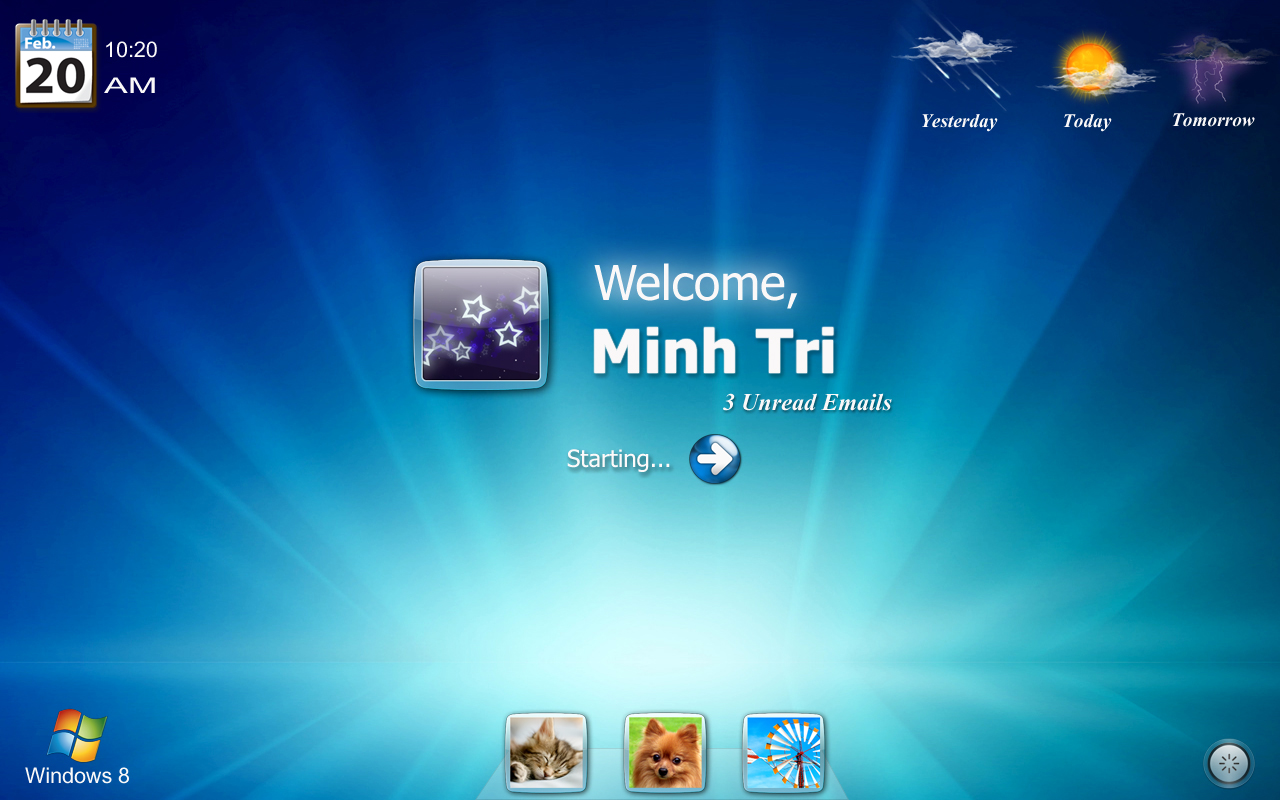
Transform Windows 7 to Windows 8 with Windows 8 UX Pack

Microsoft upcoming Windows 8 is creating a lot of buzz with it’s metro user interface and many users want to get a first glimpse of it in their PC. If you don’t want to download and install Windows 8 buggy builds, then install this Windows 8 Transformation pack for Windows 7.


8/23/11

Watch television TV stations online on your Computer

Watch TV - Online IP televisionConnect to
4000 Live television shows from your laptop.
Not required of a TV tuner or decoder. 100% legal - no monthly payment needed.
Watch TV shows live from home. All you need is
our Internet television software,
your computer, and online connection.


7/28/11

Microsoft Windows 8 Features & Beta Release Details

After the successful launch of Windows 7, now Microsoft is on the way to its launch for Windows 8. This information was leaked by a careless Microsoft developer on his LinkedIn profile and is now removed. Work for the development of Win 8 was started before the completion of Win 7.


5/4/11

Ubuntu 11.04 Natty Narwhal

Assalamualaikum
Seperti mana yang kita ketahui,Ubuntu 11.04 atau dikenali sebagai Natty Narwhal telah pun dilancarkan pada 28 April 2011 yang lalu.Aku juga telahpun mencuba Ubuntu 11.04 ni,ternyata memang banyak ciri-ciri terbaru di dalam Natty Narwhal.Tak rugi kalau kita mencubanya.Pada versi kali ini,shipitnya telah ditamatkan,Kalau teringin menggunakan CD/DVD,boleh tempah di sini


Game Downloader

Description Game Downloader is a portable and open source download client, which interacts with a server si...